- DATE:
- AUTHOR:
- Nathan Mojica

Updated the Design of the SightMap Unit Modal to Put Emphasis on the CTA Buttons.
What’s changing?
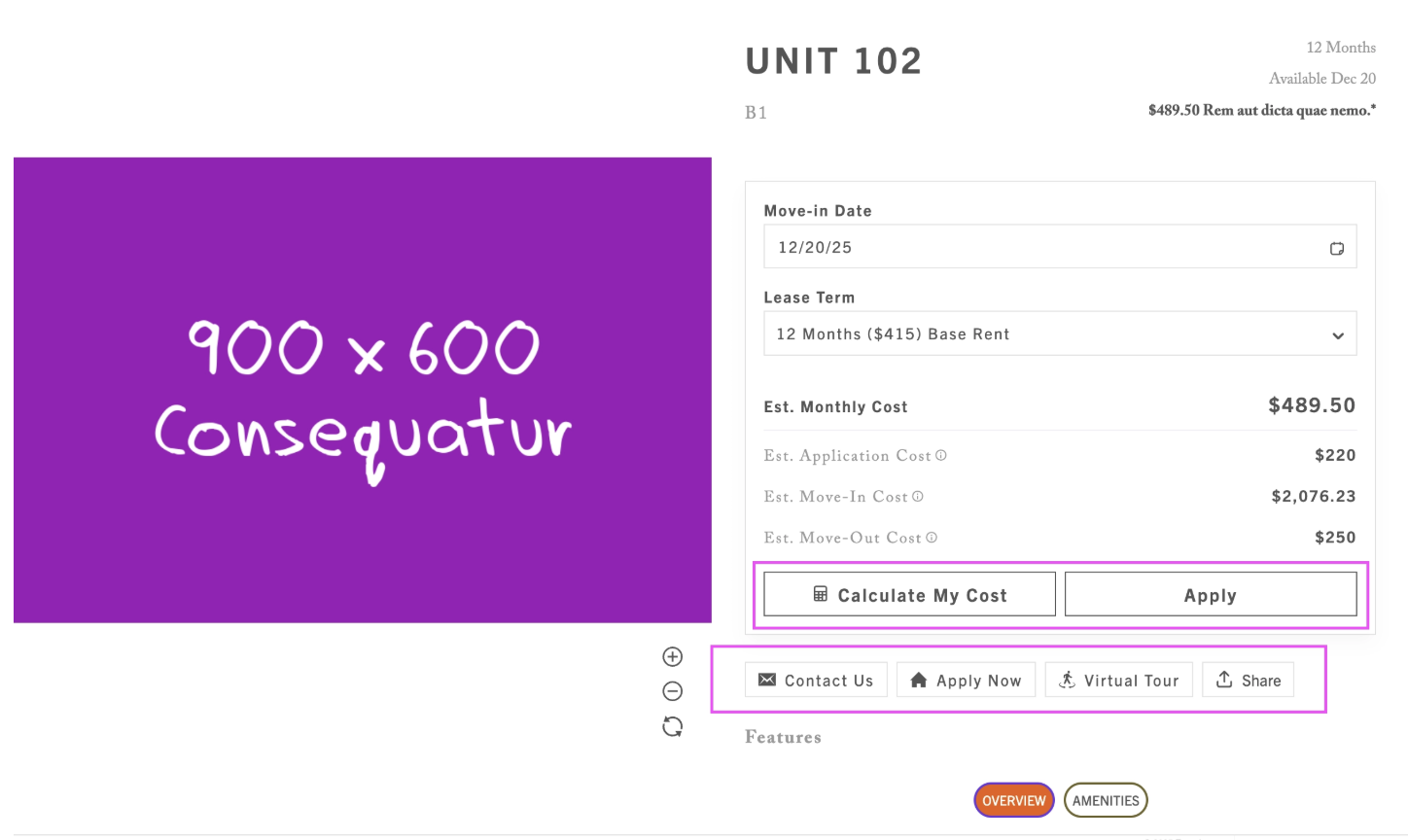
We’ve improved the layout of the SightMap Unit Modal to make call-to-action buttons (CTAs) more visible and easier to engage with. CTAs—including Apply, Calculate My Cost, and Share—now appear much higher in the modal, directly below the unit’s key pricing details. This update went live in December 2025.
What to expect:
Prospects will encounter CTAs earlier in their browsing experience, reducing friction and increasing opportunities to take action. CTAs are now displayed horizontally in visually distinct containers, creating clearer hierarchy and a more modern, scannable interface. When the calculator is enabled, the Calculate My Cost and Apply buttons now appear side by side, making primary actions easier to discover and compare.
What do you need to do?
No action is required. This update has been automatically applied to all SightMaps, embeds, and landing pages. The improved layout is live for all customers and does not require any configuration changes.
Visual Reference: